For organisations running Dynamics 365
Your journey to AI native starts with Dynamics 365.
If you have Dynamics 365, AI native is closer than you think. We add Claude, OpenAI and Azure AI to the processes you already run, so your teams work faster, more efficiently and at lower cost.
In 60 seconds
If you have Dynamics 365, AI native is closer than you think.
Dynamics 365 already holds your processes, your data and your security model. That is most of the work of becoming AI native done. Velocity Studio adds the AI on top, fast.
Discovery Workshop
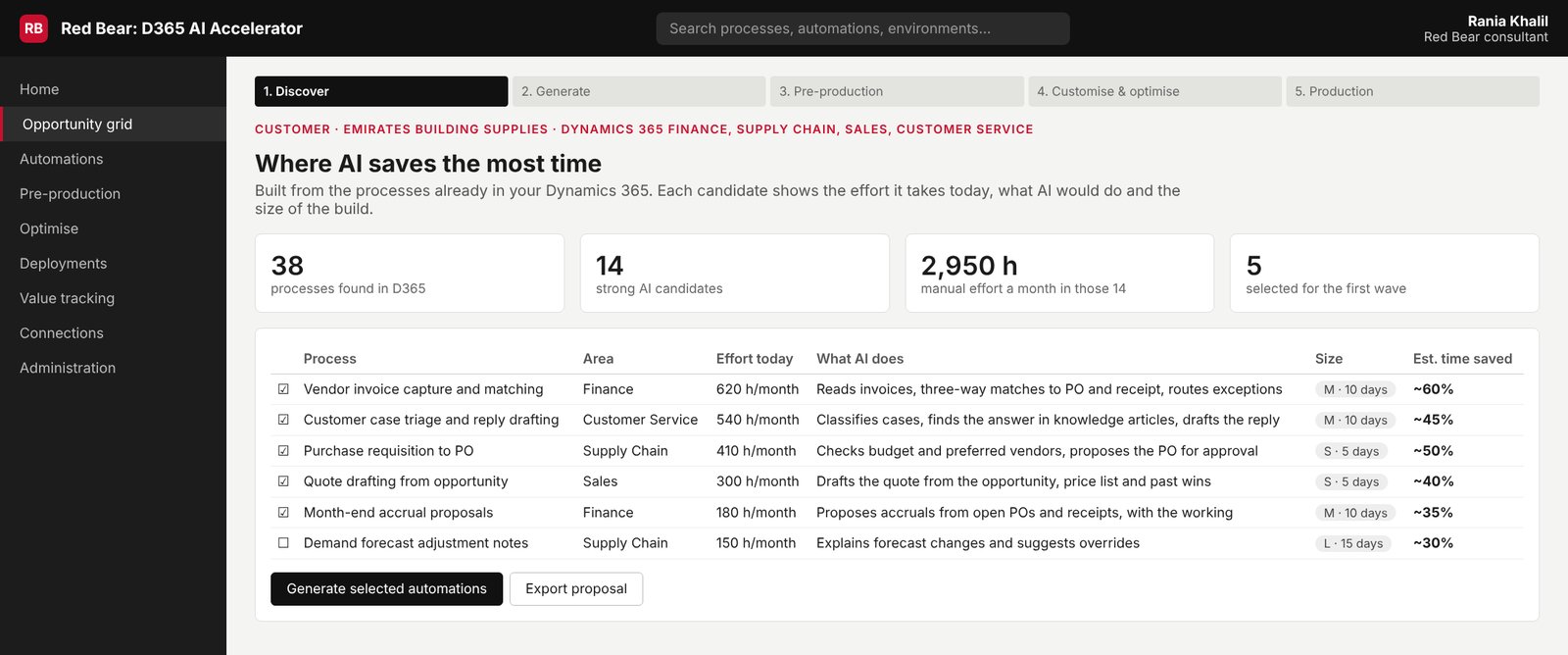
Two days mapping where AI saves you the most.
Costed proposal
Two or three use cases, each with a fixed size.
Build
5, 10 or 15 days per use case.
Deploy, tune and scale
Into production when you are ready.
You already have
The baseline, in Dynamics 365:
- Your processes and approvals
- Your data
- Your security model
We add
The AI, built on what you own:
- Claude, OpenAI and Azure AI
- Agents and automated flows
- Our D365 AI toolset
You get
An AI native organisation:
- Faster
- More efficient
- Lower cost
Why start with Dynamics 365
The hard part of AI is the foundation. You have already built it.
Most AI projects stall before the AI: the data is scattered, the processes are undocumented and nobody agrees who approves what. If you run Dynamics 365, that foundation is already in place, used every day by your teams.
Velocity Studio works inside it. Automations read and write through your own tables, follow your own approval rules and respect your own security roles, so the AI fits the way you already work instead of creating a new system to manage.
What it costs
Start with two days. Know the price before anything is built.
Every engagement starts with a Discovery Workshop and ends with a costed proposal. Builds are sized up front and priced at USD 1,000 a day.
USD 2,000
Two days with a consultant, ending in a costed proposal.
USD 5,000
5 days. One focused automation.
USD 10,000
10 days. Several steps, systems or teams.
USD 15,000
15 days. Complex logic, data or integrations.
Extra large
Larger programmes are scoped with you in the workshop and priced in the proposal.
Use cases
From IT requests to investment committee packs
51 ready-made use cases, each with its own data sheet: what it does, what we develop, how it is built and the return to expect. In the workshop we pick the two or three that matter most to you.
Every organisation · 15 use cases
- IT service desk agent
- Customer invoicing and collections
- Payroll validation and anomaly checks
- Employee onboarding assistant
- Expense auditing
- Contract review
- Purchase request assistant
- Meeting to CRM assistant
- Hot desk and meeting room allocation
- Parking allocation
- Snap-and-send maintenance requests
- Visitor management
- Energy and building optimisation
- Business travel booking assistant
- New joiner IT equipment requests
Government · 12 use cases
- Bilingual citizen virtual agent
- Intelligent case triage and response drafting
- Permit application document checking
- Live call transcription and summaries
- Photo-based inspection reporting
- Regulatory impact analysis
- Budget variance narratives and spend anomalies
- Tender evaluation assistant
- HR policy assistant and Emiratisation reporting
- Grant application scoring and fraud signals
- Natural-language KPI briefings and early warning
- AI and human decision governance
Oil and gas · 12 use cases
- Predictive equipment failure
- Voice-enabled technician copilot
- Incident and near-miss pattern analysis
- Drone photo corrosion detection
- Permit-to-work safety checking
- Smart crew dispatch
- Contract and JV agreement analysis
- Critical spares demand forecasting
- Supplier geopolitical risk monitoring
- Deal pricing briefings
- Invoice capture against purchase orders
- Capex project status and overrun early warning
Financial services · 12 use cases
- Automated KYC document review
- Client meeting prep and next best product
- Credit memo drafting
- Bilingual banking virtual agent
- Personalised, compliant campaign content
- Churn prediction and proactive outreach
- Transaction anomaly investigation
- Regulatory circular mapping
- Complaint classification and conduct risk
- Reconciliation commentary and cash forecast
- Invoice capture and three-way match
- Investment committee packs and decision audit
The Velocity Studio process
Six stages, with a checkpoint at every one
Nothing moves to the next stage until you have agreed it. You see the automation working on your own records before it goes anywhere near production.
Listen
The Discovery Workshop: your processes, your pain points, your priorities.
Design
The use case shaped around your Dynamics 365 configuration.
Prototype
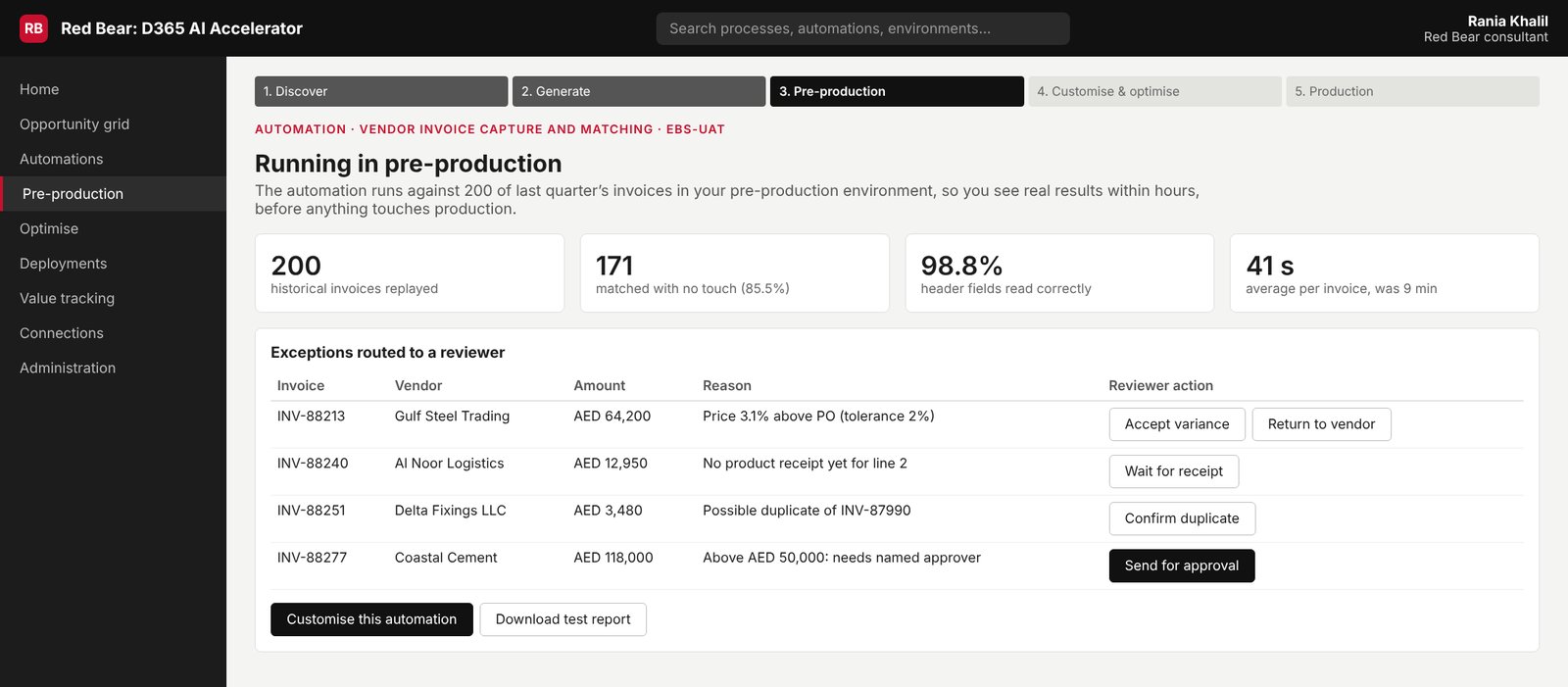
Running in pre-production on your own data, in hours.
Build
Hardened, secured and tested with your teams.
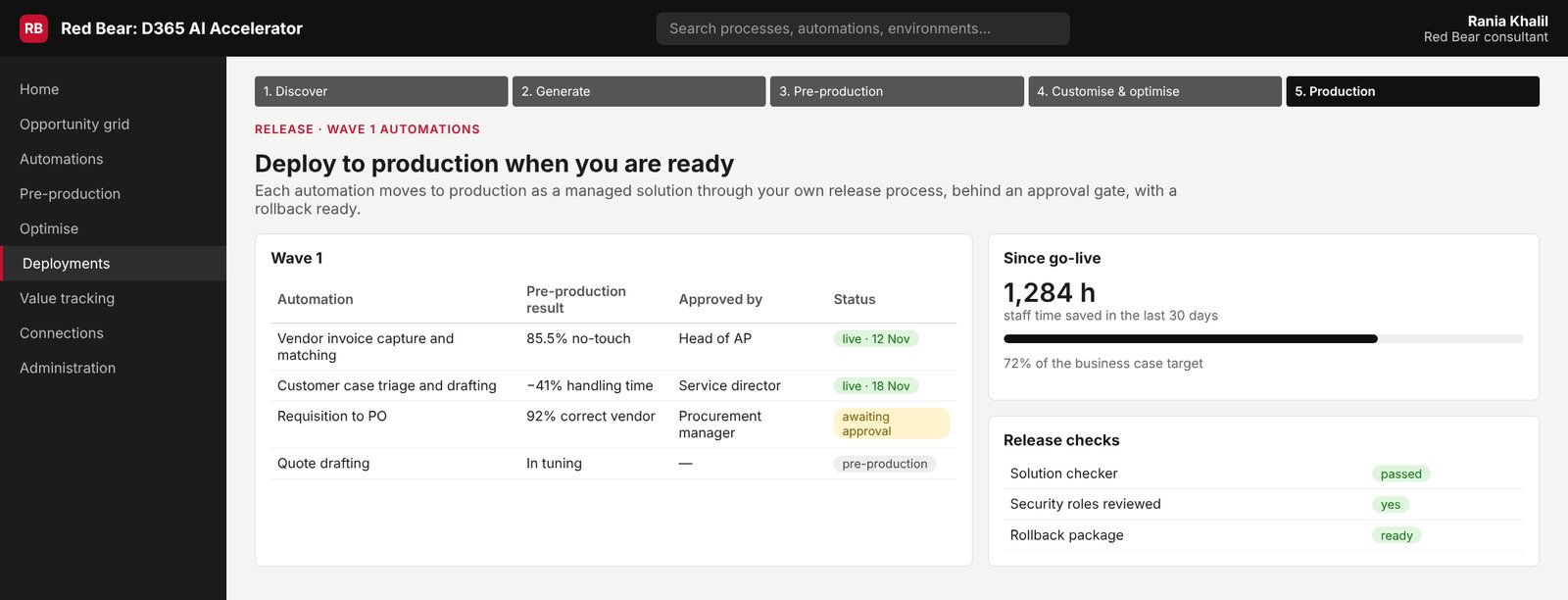
Deploy
Released to production through your approval gate.
Tune and scale
Measured against the business case, improved, then extended.
The toolset behind the studio
Built fast because the toolset does the heavy lifting
Velocity Studio runs on Red Bear: D365 AI Accelerator, which generates each automation from tested patterns and your own configuration. When you need to move or consolidate Dynamics 365 first, Red Bear: D365 Migration Toolset discovers, assesses and migrates it.
Your questions, answered
What Dynamics 365 customers ask us first
Do we need to replace anything?
No. Velocity Studio builds on the Dynamics 365 you already run, inside your own Microsoft environment.
Which AI do you use?
Claude, OpenAI and Azure AI services, choosing the best fit for each use case.
Does our data leave our tenant?
Automations run in your own Microsoft environment and region, under your own security roles.
Will the AI act on its own?
No. AI proposes and drafts; a named person in your team approves anything above the limits you set.
How quickly will we see something?
The Discovery Workshop takes two days. Once a use case is agreed, you see it running in pre-production on your own records within hours of the build starting.
What does it cost?
USD 2,000 for the two-day Discovery Workshop, then USD 1,000 a day by size: small 5 days, medium 10, large 15. Extra large is scoped with you.
If you have Dynamics 365, AI native is closer than you think.
Start with a two-day Discovery Workshop. We will map where AI saves you the most, and come back with a costed proposal.