
For organisations moving Dynamics 365
Migrate Dynamics 365 from tenant to tenant with minimal effort, risk and downtime
Discover and assess what you have today, migrate from third-party CRMs, and come out the other side with better functionality, more automation and AI in your processes.
What it does
Four things the toolset does for you
Tenant-to-tenant migration
Migrate Dynamics 365 from tenant to tenant with minimal effort, risk and downtime.
Discovery and assessment
Discover your as-is Dynamics 365 environments and assess your customisations, integrations and functionality. Identify risks and potential for improvement, and truly understand what you have today.
From third-party CRMs
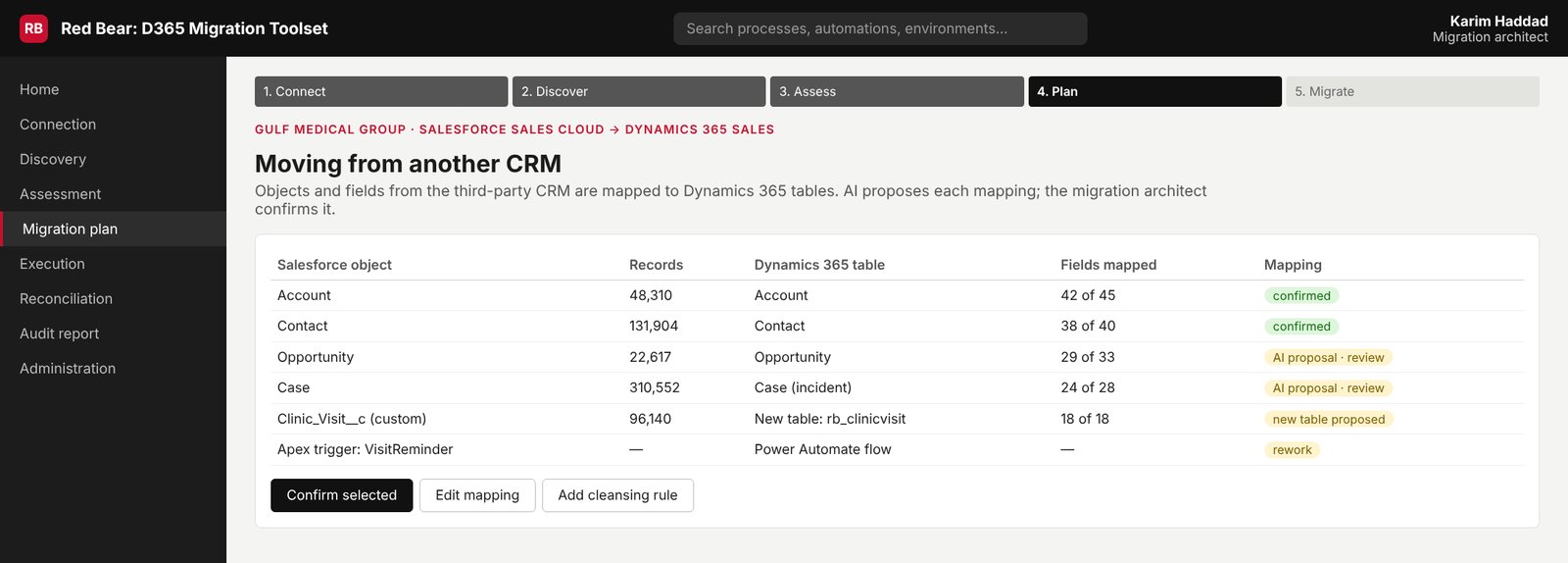
Rapidly migrate from third-party CRM tools, such as Salesforce, into Dynamics 365.
Turbocharge your organisation
Improve functionality and automation as you move, and adopt AI automation into your processes.
How it works
Connect, discover, assess, plan, migrate
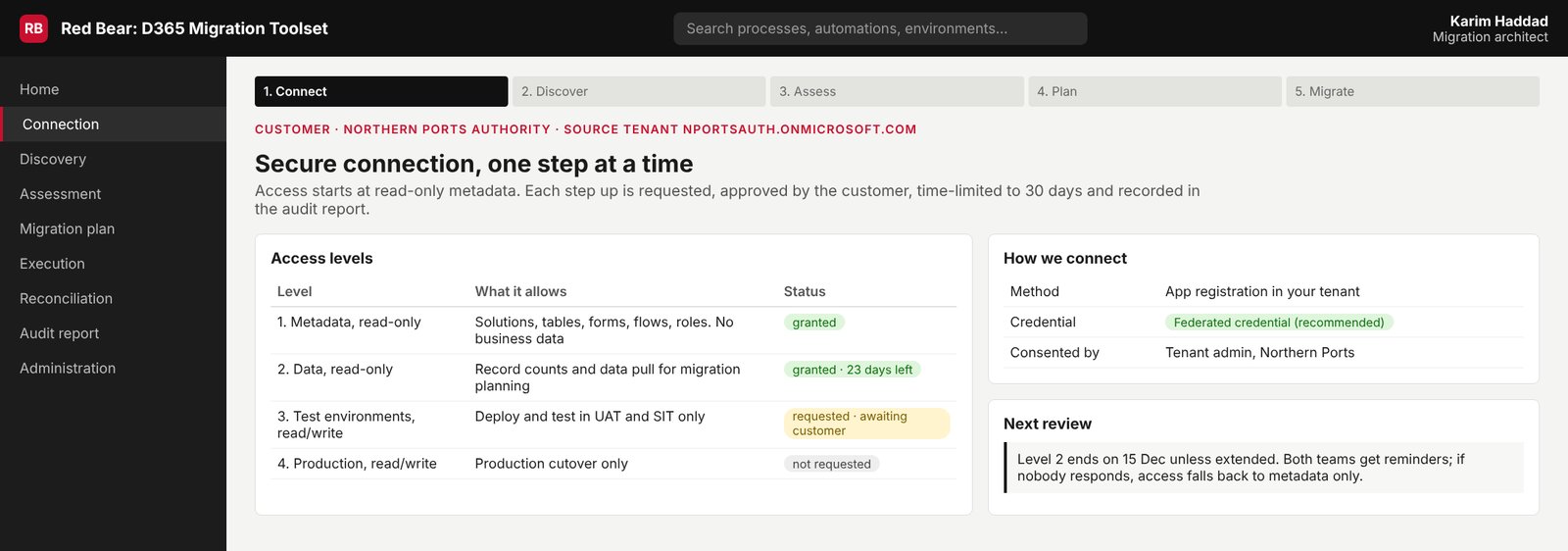
Connect
A secure connection to your tenant that starts read-only on metadata. Every step up in access is approved by you, time-limited and audited.
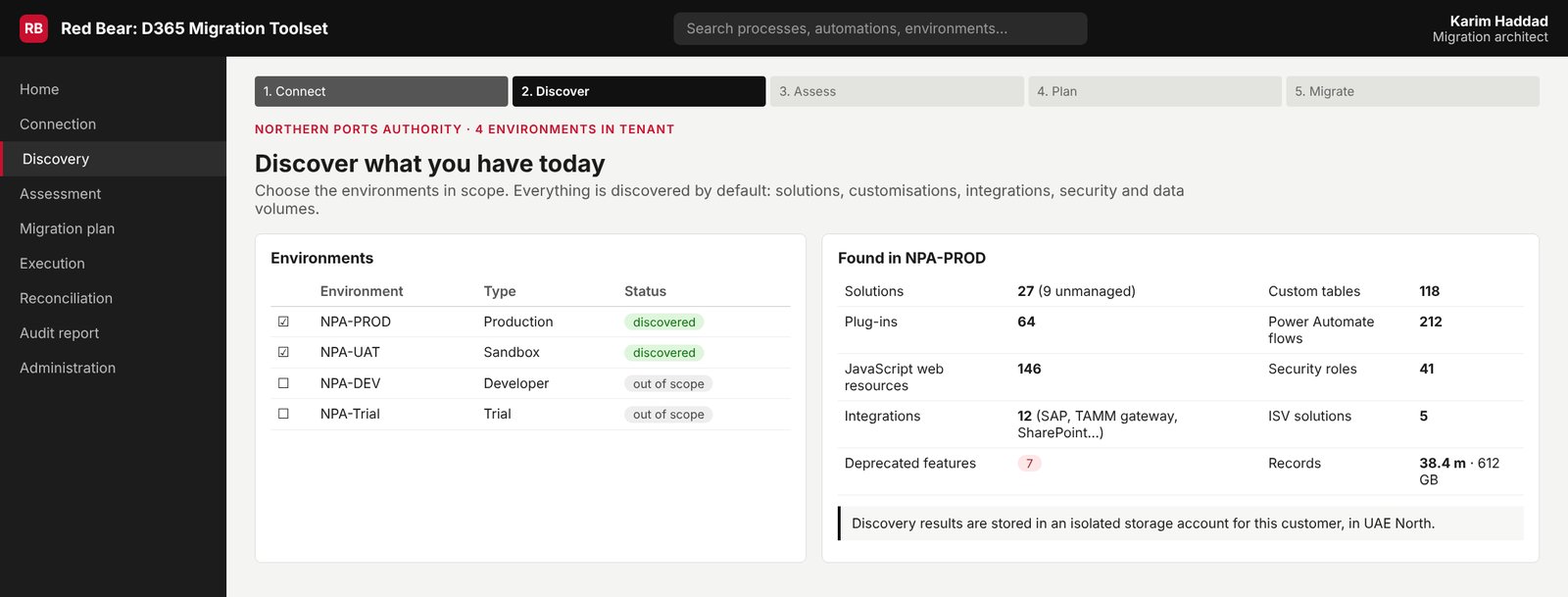
Discover
Choose the environments in scope. Solutions, tables, plug-ins, flows, scripts, security, integrations, ISV dependencies and data volumes are captured.
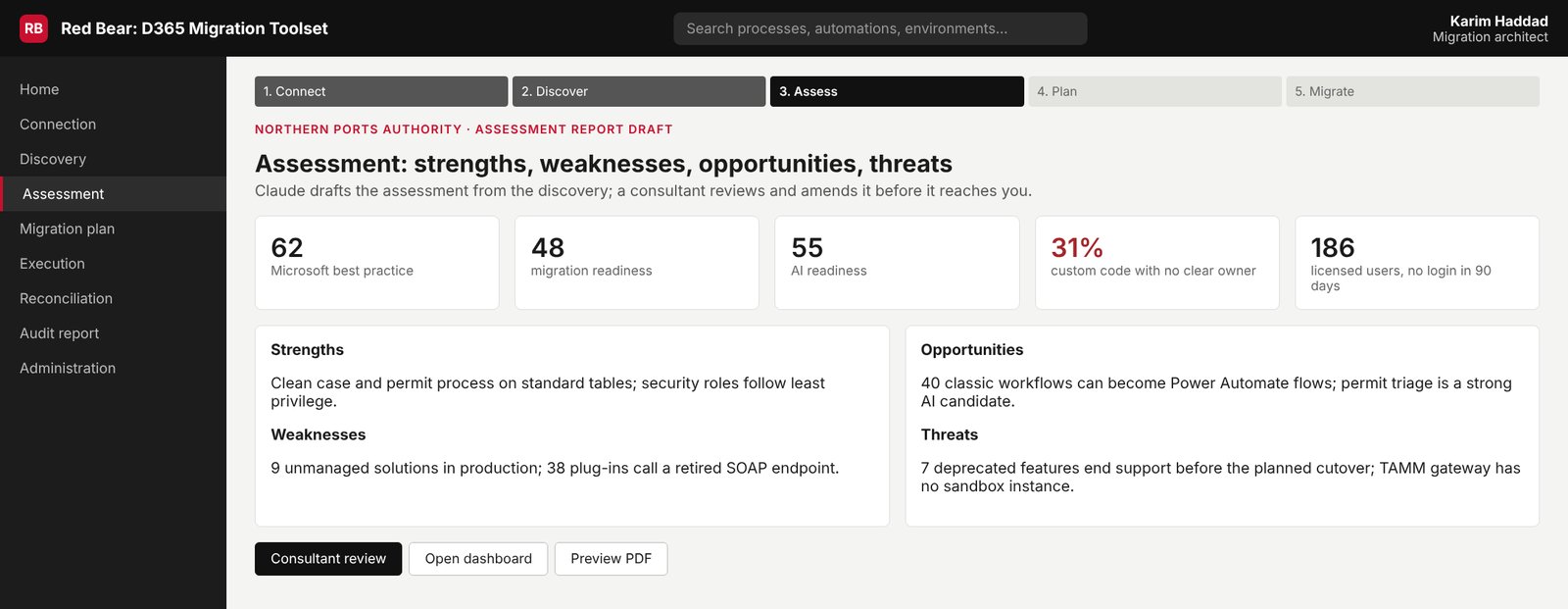
Assess
An assessment of strengths, weaknesses, opportunities and threats, covering best practice, migration and AI readiness, technical debt, licensing and unused users. Drafted by AI, reviewed by a consultant.
Plan
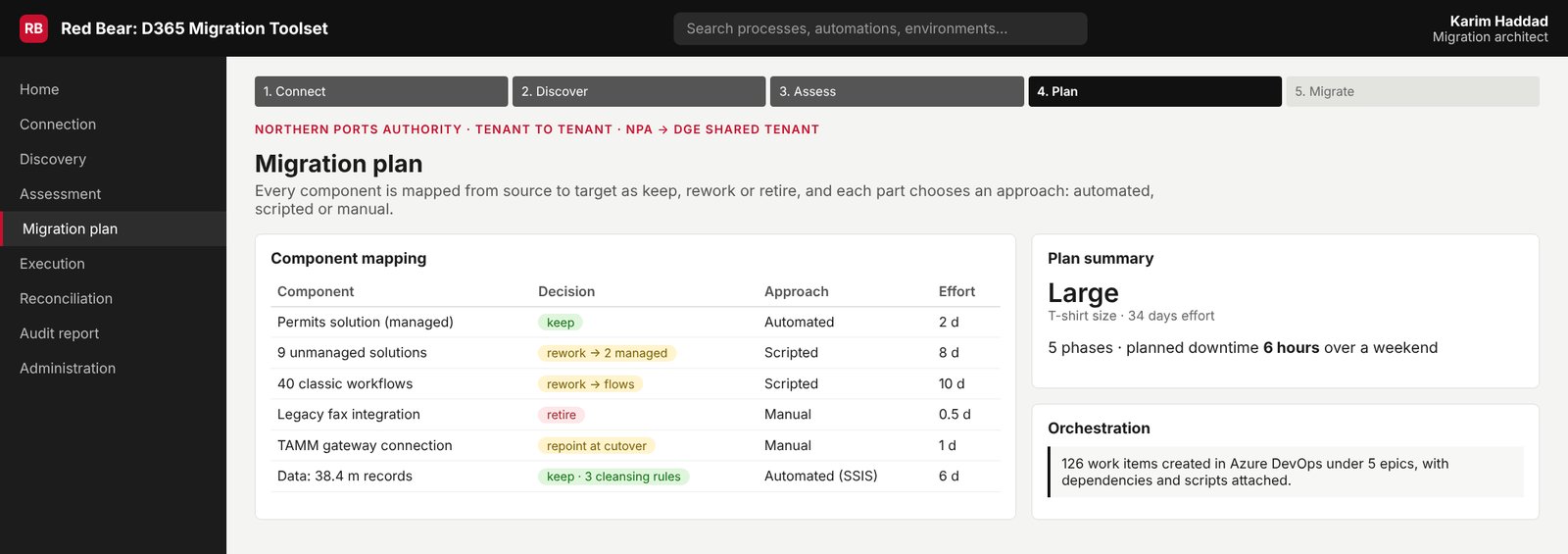
Every component mapped as keep, rework or retire, with cutover and rollback, data cleansing rules, test plans, risks and effort, orchestrated in Azure DevOps.
Migrate
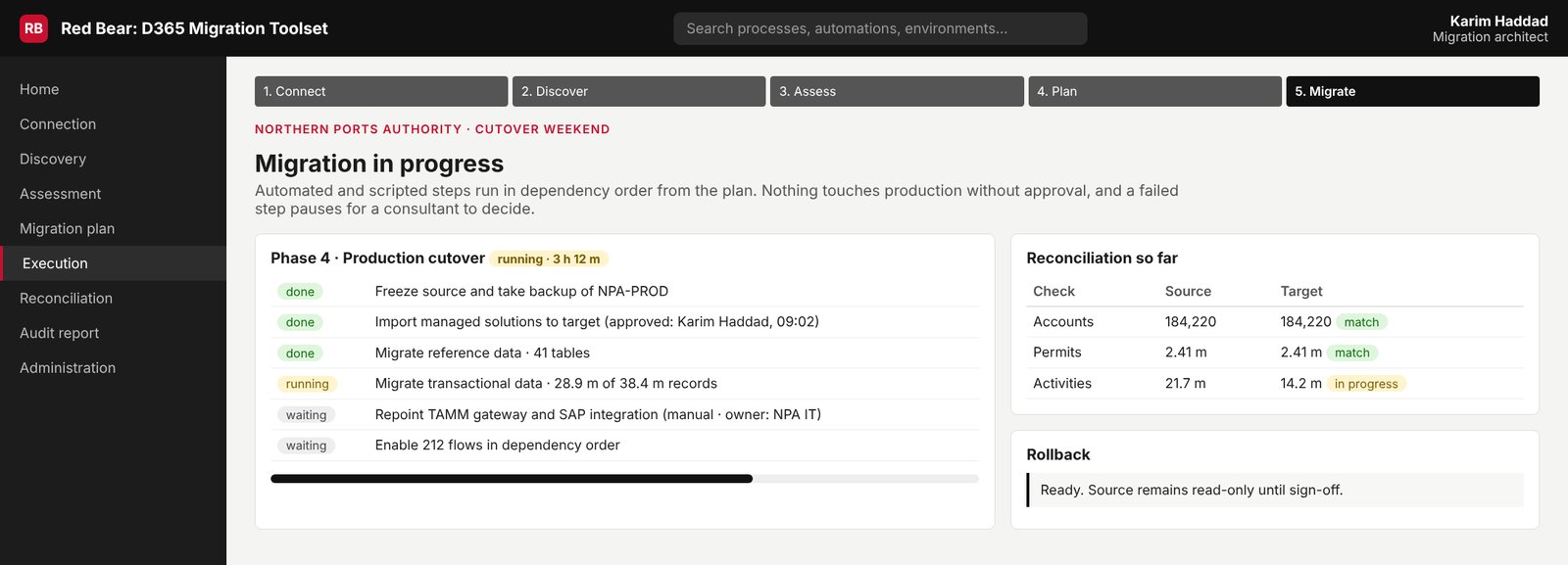
Automated and scripted steps run in order, with an approval gate before production, a consultant deciding on any failure, and reconciliation of every record.
Migrations we cover
Wherever your CRM is today
Tenant to tenant
Mergers, reorganisations and moves to a shared government or group tenant.
Environment to environment
Consolidating or splitting environments, with layering and dependencies preserved.
On-premises to online
Dynamics CRM on-premises moved to Dynamics 365 online, with deprecated features found first.
Other CRMs to Dynamics 365
Salesforce and other CRMs mapped object by object, including custom objects and code.
Less risk
Built so that nothing surprises you on cutover weekend
Least access, approved by you
Four access levels, from metadata only to production. Each is granted for 30 days and falls back automatically.
Your data, isolated
Discovery results sit in a storage account for you alone, in your region, or in your own subscription.
Every action audited
A full audit report of everything the toolset did in your tenant.
Reconciled and signed off
Source and target record counts and components compared, feeding a sign-off report and test plans.
Screen by screen
The toolset, screen by screen
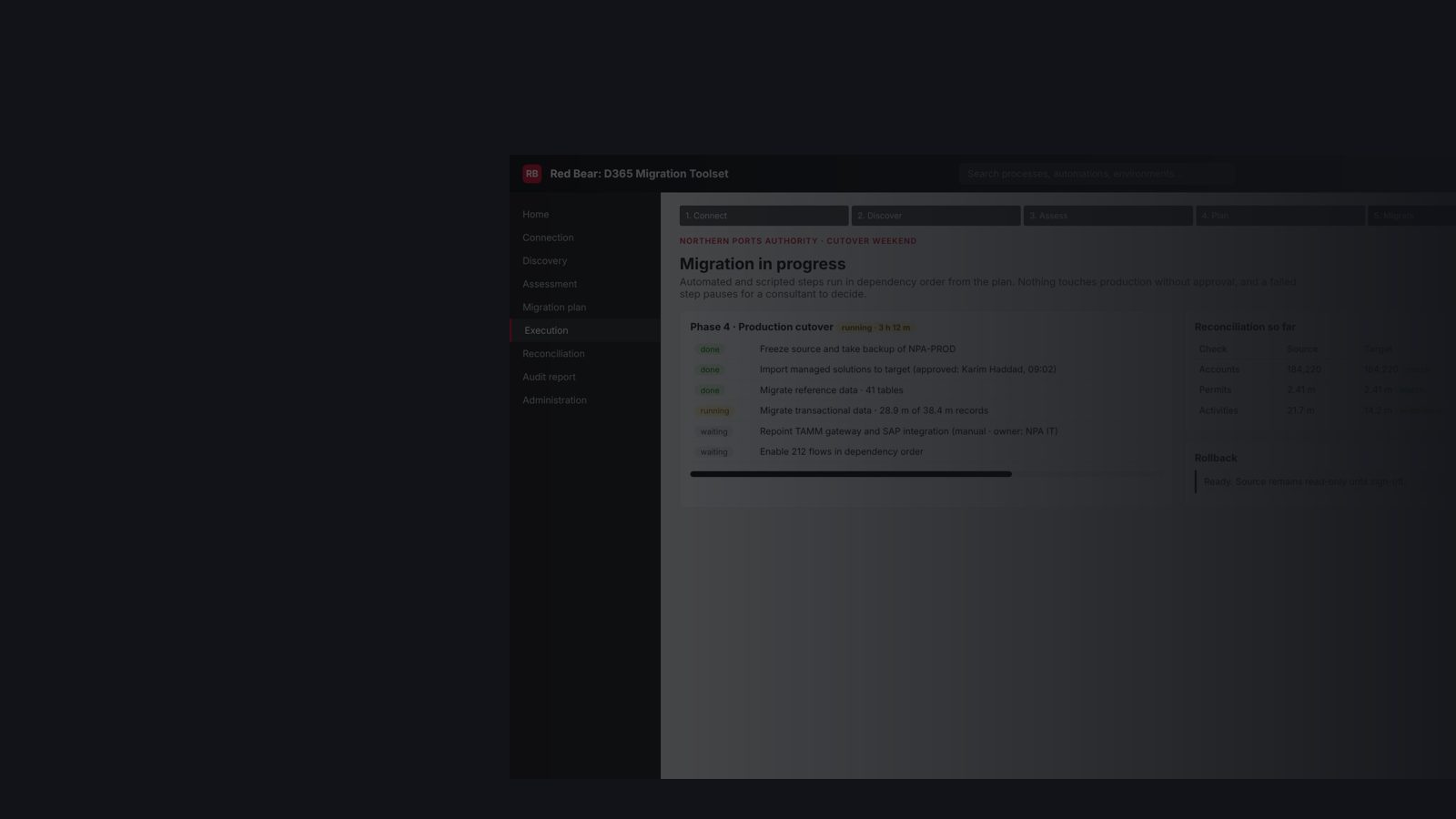
Red Bear: D365 Migration Toolset screens are mockups drawn to the current specification, with invented customers and invented figures. Select a screen to see it full size.
From connection to reconciled cutover
Planning a Dynamics 365 migration?
Tell us where you are moving from and to, and we will start with a discovery of what you have today.